


.webp)

Prefer YouTube? Watch the full session there — 5:50.
There are three kinds of AI a business can buy, and I've written elsewhere about taking them in order.
This is the question that comes next, and it's the one people actually get stuck on. You've got a ladder. Where do you put your hands first?
Most organizations get this wrong in a specific and expensive way. They pick the problem that hurts most.
The most expensive place to start is the one that sounds most impressive
Here's the version I hear most often. Oh my gosh, we're all drowning in email. Please have AI solve my email.
It's a reasonable request. It's also one of the hardest things on the list.
Because whether you know it or not, you're applying a whole lot of discernment every time you delete something, move something, forward it on, reply, reply-all, turn it into a meeting. All of that carries context you're holding in your head and have never written down. That's genuinely hard for an AI to hold in a way you'd be happy with.
There's a lot of money going into solving it. Superhuman does a decent job. If you're on Microsoft or Google, Copilot and Gemini both have triage and summarizing and better search than you're used to. They help.
But it's probably not the place to start.
Effort against impact
The sorting I use is simple enough to draw on a napkin. A two-axis chart. Effort on one, impact on the other.
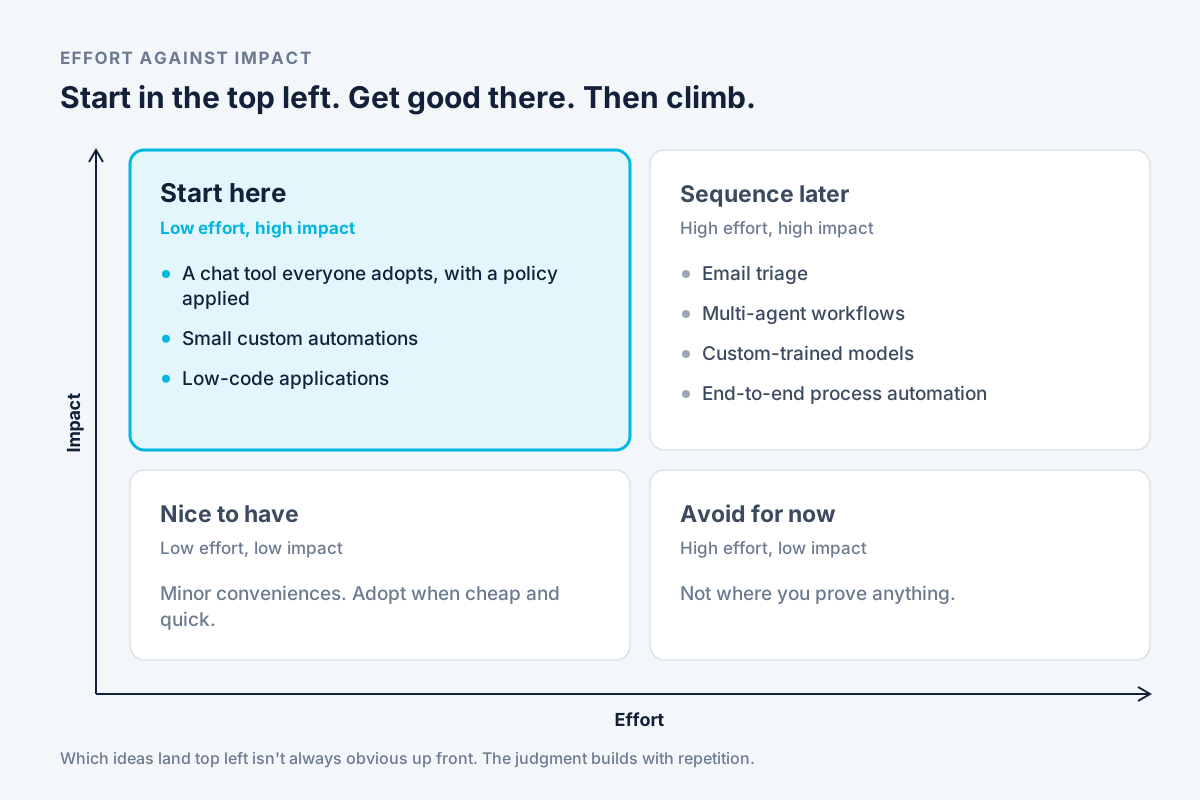
Most attention goes to the top right — high impact, high effort. That's where email sits. It's where the ambitious multi-agent workflows sit, and the custom-trained models, and the end-to-end process automation across your core systems. Those are all worth doing eventually. Sequence them once you've built some momentum.
The bottom left is nice-to-have. Minor conveniences. Adopt them when they're cheap and quick, ignore them otherwise.
Bottom right: high effort, low payoff — avoid for now. That's not where you prove anything.
Where we want to focus is the top left. Low effort, high impact. That's where the investment makes an outsized return, and it's the quadrant almost nobody starts in.
What actually sits in the top left
Three things, roughly.
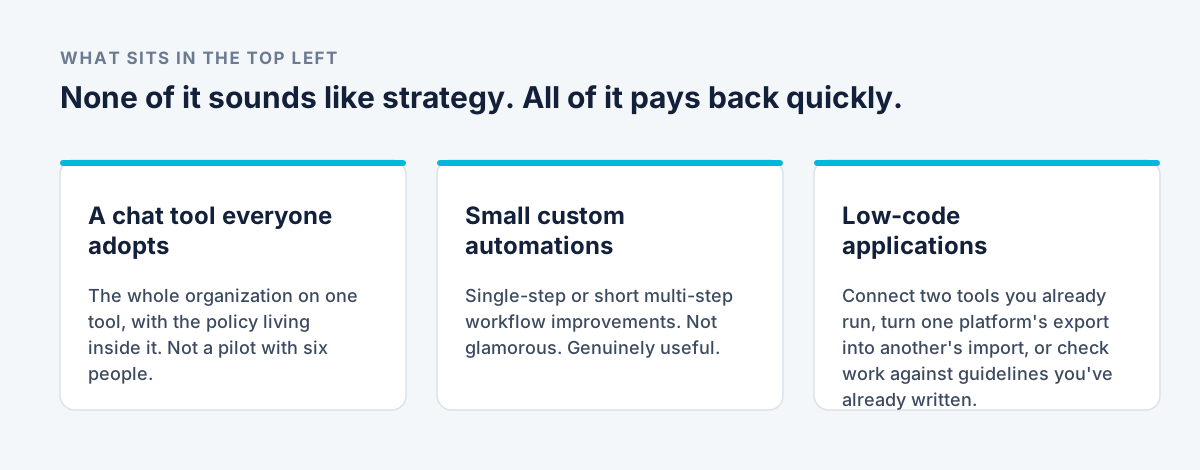
A chat solution that everyone actually adopts, with a policy applied to it. Not a pilot with six people in it. The whole organization, on one tool, with the rules living inside the tool rather than in a document nobody opens.
Small custom automations. Single-step or short multi-step workflow improvements. Not glamorous. Genuinely useful.
Low-code applications. Maybe it's connecting two tools you already run. Maybe it's automating an export from one platform to become an import for another. Maybe it's running something against guidelines you've already written, so it can render a preliminary decision and a person confirms it.
None of that sounds like strategy. All of it pays back quickly.
And I'll be honest about the limits of the sorting: it's not always obvious from the outset which ideas belong in the top left. What I can tell you is that the more of these we do, the stronger our sense gets of which ones land there. That's judgment built from repetition, not a formula I can hand you.
Start with a policy, and give it a version number
Wherever you are on this, the first move is the same. Have an AI policy.
Ours needed a refresh recently because it was a whopping eight months old. That tells you something about the pace. So don't write a policy — build a policy process. Language evergreen enough to survive the next model release, with versioning and a date in the calendar to revisit it.
Then apply it inside the tool. Take the policy, put it in the LLM, and now everyone has it applied to every interaction they have. A policy in a Word file gets read once. A policy in the assistant flags someone at the moment they're about to do the thing.
This matters more than it sounds, because the alternative to a governed tool isn't no AI. LayerX found in 2025 that 71.6% of employees keep using AI tools even under an outright ban. A prohibition doesn't remove the tool from your business. It removes your visibility of it.
Pick one or two, not five
Choose an org-wide LLM. Maybe two.
If you're in the Google ecosystem, Gemini is already there. Microsoft, Copilot is already there. Often there's little or no cost to the basic functionality, which makes either a good place to start. A lot of organizations have also chosen Claude as an emerging, enterprise-focused option.
Having a foot in two camps can make sense — particularly when the subsidies end and each of these companies has to settle on what its business model actually is. Options are worth something then.
Then three things that aren't optional.
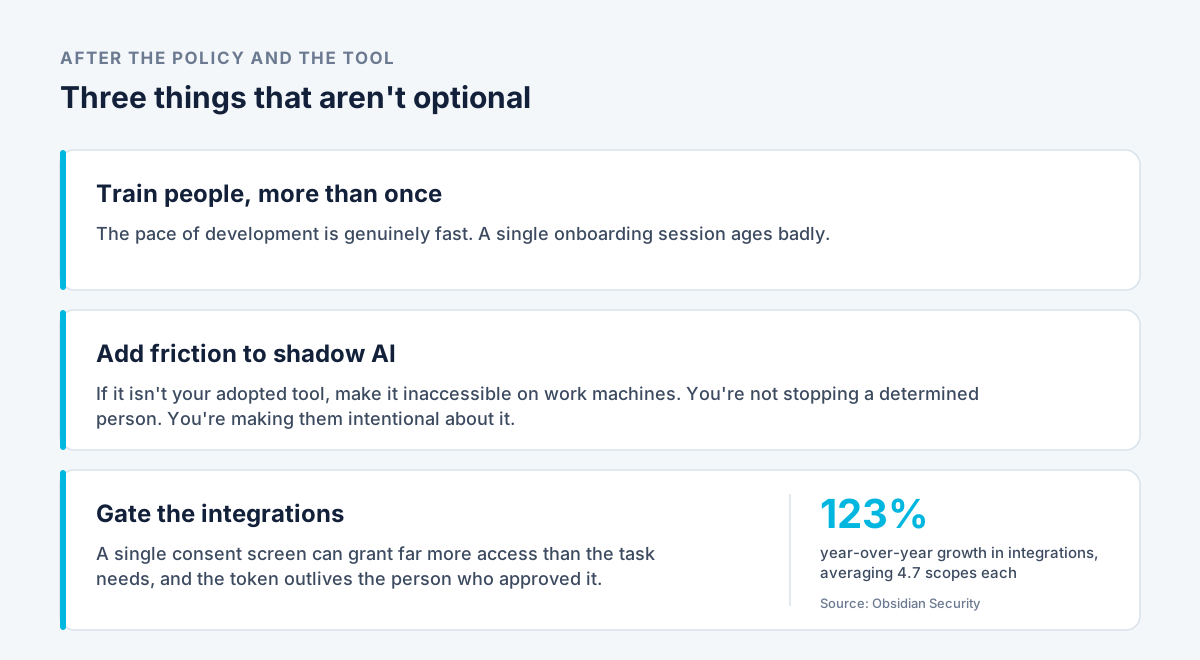
Train people, more than once. The pace of development is genuinely fast. A single onboarding session ages badly.
Add friction to shadow AI. If ChatGPT isn't your adopted tool, make it inaccessible on work machines. You're not stopping a determined person — you're making them intentional about it rather than casual.
Gate the integrations. When someone connects an approved tool to Slack or email or your files, that connection often requests far more access than the task needs. Obsidian Security's network data puts numbers on it: integrations grew 123% year over year, each requesting an average of 4.7 scopes — and applications rarely give scopes back when a feature is deprecated. The permission outlives the reason for it.
Worse, this happens faster with AI than with ordinary software. A single consent screen inherits every scope the tool asked for, all at once, granted with whatever privileges the approving person has. And the token survives that person leaving, because offboarding usually disables the account rather than revoking what the account authorized.
Somebody should be deciding that. It shouldn't be whoever clicked accept.
Where our recommendation stops
We'll enforce and we'll recommend, and I think we bear a lot of that responsibility. But every organization lands somewhere different on risk tolerance, and that's set by your policy, not by us.
So a lot of these end up as pro-and-con conversations with your leadership rather than a technical call. We can tell you what we'd do. The decision is yours.
Start in the top left. Get good there. Then climb.
That's how I see it.